


Release notes - version 5.0.4
This version is a minor release with new options in the "Save as PDF" dialog. You can now choose the EPUB version for your eBooks:
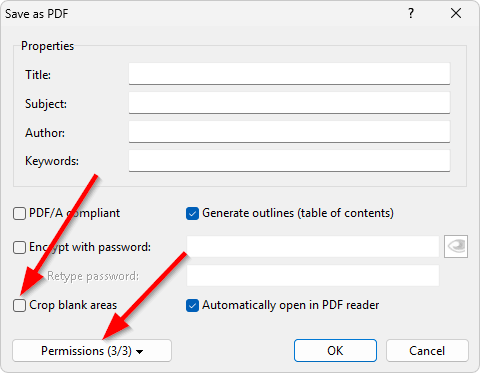
For detailed information on these new options, please click here.
Under the "File | Save Special" menu you will also find a new command "Save As Images...". This command saves the pages of the active document as separate graphic files (PNG, JPEG, etc). These graphic files can be, for example, printed or shared online as a read-only preview of the document.
See more release notes.


