


 You can open documents in Atlantis as read-only to prevent accidental changes to their files. Click for details...
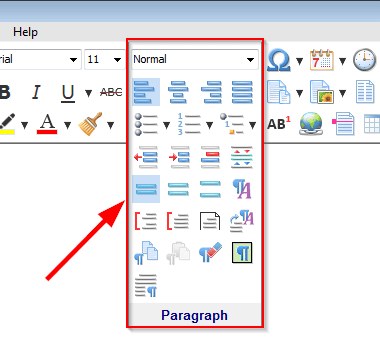
You can normally access this dialog by choosing the "Format | Style..." menu command or clicking the Style  button of the Paragraph toolbar
 .
.
With this dialog you can make any change to the styles of the active document, or apply a required style to the paragraphs selected in the active document.
The document styles are listed in the Styles box. The style associated with the document selection is enclosed within >>> <<<:

Check the Tree box to display the styles in a hierarchical manner so that the relations between the styles (base styles / child styles) can be seen.
Check the List box to display the styles as an alphabetically sorted list.
Click New... to add a new style to the document.
Click Modify... to adjust the properties of the style highlighted in the Styles box.
Click Delete to remove the highlighted style from the document with or without its child styles.
Click Import... to copy styles from another open document or document template to the active document.
Click OK to register your changes. Atlantis would automatically reapply all the modified styles to their associated paragraphs.
The Apply button does the same as the OK button but it also applies the style highlighted in the Styles box to the paragraphs selected in the active document.
Tip:
See also...


