Hi,
I am new to Atlantis WP, and was testing it out. I am encouraged seeing its promises. While testing I tried to copy/paste a wordpad generated rtf file to Atlantis, and noticed a strange thing: all the Ascii 149 characters are simply dropped. Whereas the following is ok
1. typing the same character in Atlantis is ok
2. copy from Atlantis and paste to atlantis document is ok
3. copy from Atlantis and paste to wordpad or other rtf editor is ok
But
1. copy from wordpad or other editor to Atlantis is NOT OK. Atlantis is dropping the character silently.
I do use a font which uses all the 255 characters of Ascii range and use Aksharadhara to for multi language typing.
I am using 1.6.5.3 beta version and not using Unicode.
Please solve or let me know the way around and I cannot use Atlantis with such a issue. I would test further once I get a hopeful feedback.
Thanks and Regards,
Nana
Atlantis version 1.6.5.3 beta

The ASCII table includes 127 characters only. There is no ASCII character with code 149. There are "extended ASCII" tables with characters codes 128+. But they are language-specific, and they are not a part of the ASCII standard.
There are no "ASCII fonts" under Windows. Individual glyphs of TrueType fonts are normally referred through their Unicode codes.
Sorry, at this point I am not sure that understand which character you cannot copy/paste to Atlantis from other word processing applications. Could you please post a sample document or a screen capture with that "faulty" character?
There are no "ASCII fonts" under Windows. Individual glyphs of TrueType fonts are normally referred through their Unicode codes.
Sorry, at this point I am not sure that understand which character you cannot copy/paste to Atlantis from other word processing applications. Could you please post a sample document or a screen capture with that "faulty" character?
screen capture attached
Dear Admin,
Sorry for the delayed reply for the testing. Please refer attached file for the description of the problem.
NB. There are few thousands fonts available for non-English languages in India and they are used commonly even for daily professional work. Working in these fonts (Indian lang fonts) requires all (leaving soft-hyphen char) of the 255 characters should be properly typed/imported/exported.
Thanks and Regards,
Nana
Sorry for the delayed reply for the testing. Please refer attached file for the description of the problem.
NB. There are few thousands fonts available for non-English languages in India and they are used commonly even for daily professional work. Working in these fonts (Indian lang fonts) requires all (leaving soft-hyphen char) of the 255 characters should be properly typed/imported/exported.
Thanks and Regards,
Nana
- Attachments
-
- wordpad, matter typed and did a ctrl+c, when I did a ctrl+v the char 149 gets dropped. (samit-007 font was used)
- screenshots-char-149-missing-on-copy-paste-from-wordpad.rtf_0001.jpg (172.69 KiB) Viewed 15702 times
As I said above, there is no ASCII character with code 149.
Could you please create a sample document with that "faulty" character in WordPad, save it as RTF, and email to support@AtlantisWordProcessor.com?
Could you please create a sample document with that "faulty" character in WordPad, save it as RTF, and email to support@AtlantisWordProcessor.com?
Dear Admin,admin wrote:As I said above, there is no ASCII character with code 149.
Could you please create a sample document with that "faulty" character in WordPad, save it as RTF, and email to support@AtlantisWordProcessor.com?
Please solve it, I am attaching a RTF file containing the character. Please also note that there are 100s of fonts uses this character in different Indian Languages, and Jarte, Textmaker, wordpad, MSword, Pagemaker all of them works properly with it (typing and copy-pasting from other application).
If possible, solve it. It is the bullet character.
Regards,
Nana
------------------content of RTF starts
{\rtf1\ansi\ansicpg1252\deff0\deflang1033{\fonttbl{\f0\fnil\fcharset0 Samit-007-Light;}{\f1\fnil\fcharset0 Times New Roman;}{\f2\fswiss\fcharset0 Arial;}}
{\*\generator Msftedit 5.41.15.1515;}\viewkind4\uc1\pard\f0\fs28\bullet\bullet\bullet\bullet\bullet\bullet\bullet\bullet \f1\fs24 <characters typed in Bengali Font\f2\fs20\par
}
------------------ RTF ends
- Attachments
-
- character not handled in Atlantis.rtf
- as asked file attached for research
- (340 Bytes) Downloaded 886 times
-
- character not handled in Atlantis.rtf
- (340 Bytes) Downloaded 976 times
Thanks for the sample file. Atlantis ignores the "\bullet" RTF tag. As I know, modern text processing applications (RTF writers) do not use this tag when generating RTF code.
Any next release of Atlantis Word Processor will process the "\bullet" RTF tag. It would be translated into a character with code 149 from the current Windows character set.
But I think that it is strange than when an RTF writer uses the "\bullet" tag to encode an "opening bracket" character from an Indian font.
Any next release of Atlantis Word Processor will process the "\bullet" RTF tag. It would be translated into a character with code 149 from the current Windows character set.
But I think that it is strange than when an RTF writer uses the "\bullet" tag to encode an "opening bracket" character from an Indian font.
Thanks Admin,admin wrote:Thanks for the sample file. Atlantis ignores the "\bullet" RTF tag. As I know, modern text processing applications (RTF writers) do not use this tag when generating RTF code.
Any next release of Atlantis Word Processor will process the "\bullet" RTF tag. It would be translated into a character with code 149 from the current Windows character set.
But I think that it is strange than when an RTF writer uses the "\bullet" tag to encode an "opening bracket" character from an Indian font.
The opening bracket is as per the font, in some other Bengali/Hindi font there would be different character. It should show/copy-paste as-is and should not drop-out or change the character.
These are minor points but very serious for Non-English users.
I have observed some editors cannot display character U+00CA (202) but behaves normally when copy-pasted from other application. Some have problem with U+00AD (soft-hyphen). I guess it is the finer perfection that makes the product perfect. The editor should have some option to disable character filtering/processing for such typing. The base of all these fonts prepared by Abobe Pagemaker, which shows most of the characters properly and still widely used. I see good prospect in Atlantis.
I would also like to propose one aspect missing in most of the today’s editors including Microsoft word, it is about word termination. For all native languages/font (non-Unicode) word boundary should be only these characters like space, comma, stop that’s it or should be configurable. User may be given choice to determine whitespace character. Otherwise spell-check function cannot work for non-English languages. Hope I could explain.
By the way when is the next beta available?
Thanks again,
Nana
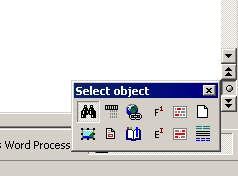
Atlantis Word Processor 1.6.5.4 should be available for betatesting in the next few days. It will be a maintenance release with a number of important fixes (some of them have been mentioned earlier on this forum). Plus it will introduce a new Navigation tool in the vertical scrollbar of the document window: